

Manually refreshing spot-price tabs, updating spreadsheets, and second-guessing every buy or sell decision is exhausting—and costly. Whether you hold physical bars and coins, gold ETFs, or trade XAU/USD, automation can replace most of that grunt work with systems that run around the clock.
This tutorial walks you through the exact layers of automation available in 2026, shows you how to wire them together, and highlights the pitfalls that trip up most investors along the way.
Why Automate Your Gold Investments?
Gold markets operate globally and never truly close. Price-moving events—central bank announcements, geopolitical flare-ups, inflation data—can land at any hour. Automation tools like Telegram alerts and custom monitoring scripts allow retail investors to eliminate the emotional tax of fear and greed that often leads to losses in gold trading. These tools also ensure investors are present in every global time zone, since gold markets never sleep.
For busy professionals, automation means only getting pinged when it truly matters, rather than staring at charts all day. The rise of AI-powered automation is leveling the playing field, allowing retail investors to compete with hedge funds that previously held an advantage with sophisticated bots.
Step 1: Choose Your Tracking Layer
Your tracking layer is the foundation—the single place where every gold holding is visible and valued in real time. You have three main options:
Option A: Dedicated Precious-Metals Apps
Apps like GoldFolio let you manage your physical gold, silver, platinum, palladium, and copper investments effortlessly, staying updated on market values, tracking performance, and making informed decisions all in one app. They provide clear overviews of profit-or-loss status with intuitive charts and graphs.
Option B: Build a Custom Spreadsheet
A well-designed spreadsheet can pull live market prices for gold, silver, and platinum directly from the web. By using specific formulas, you can link your spreadsheet to a reliable financial data source so the value of your holdings updates automatically every time you open the file. Building your own system in Excel or Google Sheets allows you to create a tool perfectly tailored to your investment style—though it requires more technical know-how.
Option C: Full Portfolio Management Software
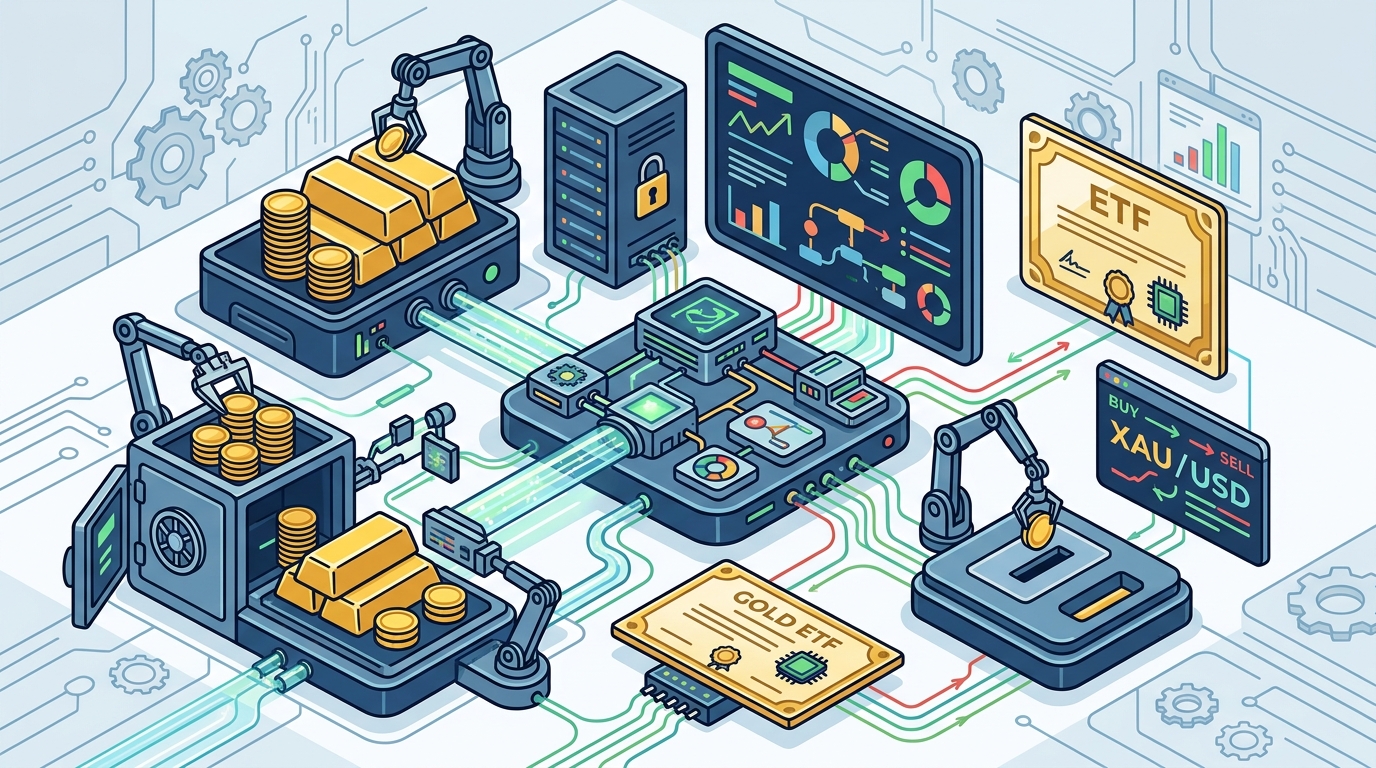
If gold is part of a larger portfolio, platforms like Addepar or Allvue consolidate data across asset classes. Modern portfolio management architecture is shifting toward modular, interconnected ecosystems where a best-in-class ledger connects seamlessly with the best intelligence and visualization layers. The critical glue is clean, structured data—by automating the ingestion layer you ensure every downstream system is fed with accurate, timely information.
Step 2: Set Up Automated Price Alerts and Notifications
Once your tracking layer is in place, layer on alerts so the system reaches out to you instead of the other way around.
- Broker-native alerts: Most platforms like MetaTrader 5, cTrader, or TradingView offer built-in price-threshold notifications via push, email, or SMS.
- Telegram bots: Custom Telegram bots can monitor XAU/USD and ping your phone when price crosses key support or resistance levels.
- Google Sheets + Apps Script: Write a lightweight Apps Script that checks a price API every 15 minutes and sends you an email when your target is hit.
- IFTTT / Zapier webhooks: Connect a gold-price RSS feed or webhook to your preferred notification channel with zero coding.
The goal is a tiered notification system: informational alerts for daily summaries, urgent alerts for price breakouts or stop-loss triggers, and critical alerts for account-level events like margin calls.
Step 3: Automate Trade Execution (If You Trade XAU/USD)
If your gold exposure includes actively traded positions, automation goes beyond tracking into execution.
Expert Advisors (EAs) on MetaTrader
Gold trading bots are advanced software programs designed to automate the trading process—they analyze market data, identify opportunities, and execute trades based on predefined criteria. AI trading robots employ machine learning to analyze extensive data sets, identifying patterns and trends that may not be immediately visible to human traders.
Signal Copiers
Automated gold trading software executes buy/sell orders in XAU/USD automatically, avoiding manual trading and emotional decisions. Signal copiers copy gold trading signals and execute them instantly. Key selection criteria include faster trade execution with low latency, advanced risk management features such as stop-loss modification, and compatibility with your broker's platform.
Safety Guardrails for Automated Trading
Follow these principles for any live automated setup:
- Set a maximum daily loss limit at the platform level so the EA has a circuit breaker before losses compound.
- Start at lower lot sizes than you think you need. Observe the system for two to four weeks at minimal risk to gather real data before scaling up.
- Never run multiple aggressive EAs on the same account simultaneously. If gold spikes on a news event, all systems are affected at once and combined drawdown compounds quickly.
- Use third-party tracking like FXBlue for independently verified performance data.
Step 4: Automate Portfolio Rebalancing and Reporting
Even long-term gold holders benefit from automation here:
- Threshold-based rebalancing: Configure your brokerage or robo-advisor to sell or buy gold when your allocation drifts more than 5% from your target.
- Scheduled reports: Set weekly or monthly email digests showing gold allocation percentage, unrealized gain/loss, cost-basis data, and currency-adjusted returns.
- Tax-lot tracking: Automate FIFO/LIFO cost-basis calculations so you're not scrambling during tax season.
Effective portfolio management software provides detailed tracking across all asset classes with automated rebalancing suggestions and diversification analysis to maintain optimal allocation.
Step 5: Connect Everything Into One Ecosystem
The real power of automation emerges when tools talk to each other. Here is a sample stack for a gold-focused investor:
| Layer | Tool Example | Function |
|---|---|---|
| Price Data | GoldAPI.io or metals-api | Live spot prices via REST API |
| Tracking | GoldFolio / Google Sheets | Portfolio valuation dashboard |
| Alerts | Telegram Bot / TradingView | Price and event notifications |
| Execution | MT5 Expert Advisor | Automated XAU/USD trades |
| Reporting | Google Data Studio / Power BI | Visual performance reports |
| Backup | FXBlue / Myfxbook | Third-party trade verification |
The most effective portfolio management software does not operate in isolation. Look for platforms that integrate seamlessly with custodians, market data providers, and operational tools to create a complete ecosystem.
Common Mistakes to Avoid
- Over-automating without understanding: Never deploy a trading bot you cannot explain. Understand the logic before you trust it with capital.
- Ignoring market regime changes: The real issue is having the right bot for each market regime, since XAU/USD does not trade the same in ranging versus trending conditions.
- Skipping paper-trading: Always test in a demo environment first. Use real-tick backtesting in MetaTrader, not the every-tick artificial model many vendors use—the difference in results is significant.
- No kill switch: Every automated system needs a manual override. If something goes wrong at 3 AM, you need to be able to shut it down remotely.
- Vendor trust without verification: Check discussion forums and groups to verify performance and track records. A minimum of six months of verified history is a reasonable baseline.
Key Takeaways
- Start with a solid tracking layer—a dedicated app, custom spreadsheet, or portfolio platform—before adding execution automation.
- Layer price alerts through multiple channels (push, email, Telegram) so you never miss a critical move.
- If you trade XAU/USD actively, use Expert Advisors or signal copiers with strict risk management guardrails.
- Connect your tools into an integrated ecosystem so data flows automatically from price feeds to dashboards to reports.
- Always verify automated performance with independent third-party tracking services.
Frequently Asked Questions
What is the easiest way to start automating gold investment tracking?
The simplest entry point is a dedicated precious-metals tracking app like GoldFolio, which automatically updates market values for physical holdings. For digital gold or ETFs, linking a Google Sheet to a live price API gives you automated valuations with minimal setup.
Do I need coding skills to automate gold portfolio management?
No. Many tools—TradingView alerts, broker-native notifications, and no-code platforms like Zapier—require zero programming. However, coding skills open up more advanced options such as custom Telegram bots or MetaTrader Expert Advisors.
Is automated gold trading safe?
Automated trading carries inherent risk. Trading is inherently risky, and one should never trade with money they cannot afford to lose. Safety depends on proper risk controls: daily loss limits, conservative position sizing, and independent performance verification through services like FXBlue.
Can I automate tracking for physical gold coins and bars?
Yes. Apps like GoldFolio are built specifically for tracking physical precious metals. You can log each item by type, weight, and purchase price, and the app automatically calculates current value based on live spot prices.
How much does gold investment automation cost?
Costs range from free (Google Sheets, basic broker alerts) to a few hundred dollars per year for premium tracking apps or Expert Advisors. Portfolio management software pricing varies widely, from platforms costing a few thousand dollars annually to enterprise solutions requiring significant investment.